
One of the core design goals of GloPay is to make the payment process entirely frictionless for your clients. Your customers do not need to sign up for a platform account, remember new login credentials, or sign up on GloPay just to settle your bill.
From clients’ perspective, paying your invoice is as simple as clicking a secure link, approving project, and executing a standard business payment. Here is exactly how the process works for your clients from start to finish.
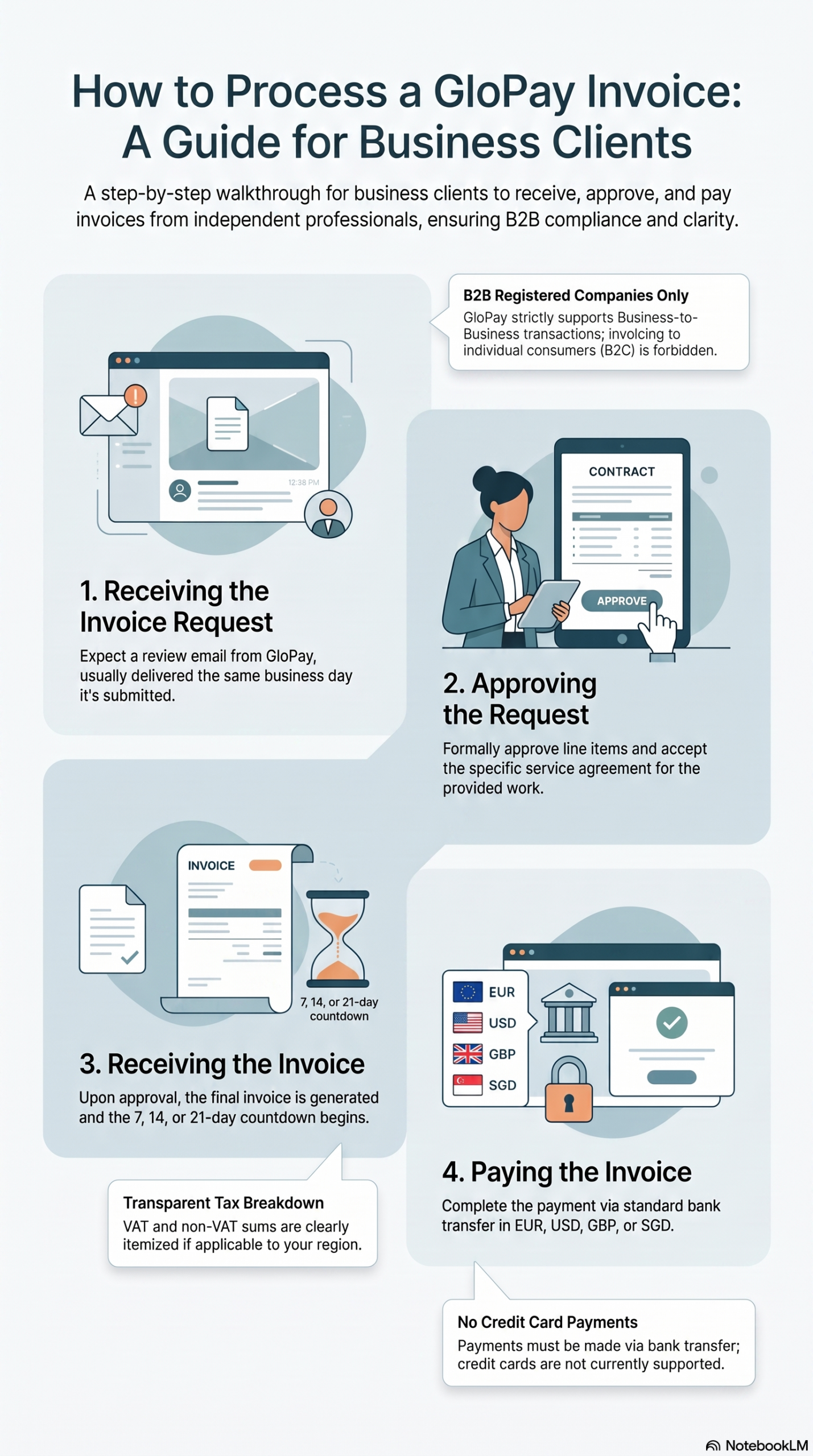
Step 1: Receiving the Invoice Request as a Customer
The moment the freelancer clicks “Send” on an invoice on their dashboard, GloPay handles the client outreach automatically:
-
The Email Notification: Your client receives a professionally formatted email to request approval for an invoice.
-
The Access Portal: The email contains a secure, private link that leads directly to their custom project checkout portal hosted securely on glopay.com. Because your name and project title are clearly displayed at the top, your client always knows exactly who the request is coming from.
Step 2: The Contract Approval
Before GloPay creates the actual invoice, the legal B2B invoicing framework must be established:
-
Reviewing Project Specs: On the secure portal screen, your client is presented with the invoice draft including your details and VAT calculations if applicable.
-
Electronic Signature: To authorize the transaction, the client clicks to electronically accept the project terms. This quick step dynamically activates the project-specific Service Agreement between their company and the freelancer’s GloPay partnership. This agreement is a one-off, effective only for this specific work and invoice.
Step 3: The Invoice and Payment
Once the client approves the invoice request and our automated compliance check clears, the platform immediately sends client the actual invoice:
-
Standard Corporate Bank Transfers: Currently, GloPay prioritizes standard corporate banking infrastructure. Business clients can settle their invoices using standard IBAN, SEPA, or SWIFT bank transfers directly from their corporate bank account.
-
A Familiar B2B Flow: Because the payment instructions route to an established EU corporate partnership framework, the transaction matches your client’s standard internal accounts payable workflow—just like paying any other corporate vendor.
-
Payment Confirmation: Once the invoice is paid, you will receive a payment confirmation information.
Processing Timelines: When the Frelancer can receive the funds?
Corporate bank transfers rely on international financial networks, which follow standard commercial processing timelines:
-
Arrival Window: Typically payments arrive to GloPay within one business day, depending on if they are paid from European or Non-European bank.
-
Instant Dashboard Update: As soon as the payment is confirmed on our corporate accounts and reconciled against your open invoice, the status of your invoice instantly shifts to Paid inside your dashboard, and your 95% revenue distribution is immediately available in your multi-currency ledger balance.
If you have any questions do not hesistate to contact GloPay team via contact form or via email at: support at glopay dot com